Securing Microsoft 365 Service Provider Access
The Microsoft 365 Settings screen manages the secure connection to
| ■ | Token-only: Using this option, the connection is secured using Delegated Token-based authentication |
| ■ | Application Registration: Using this option, the connection is secured using Application Registration credentials (Application Client ID and client secret). See Switching to App Registration |
| ➢ | To configure Microsoft 365 settings: |
| 1. | In the Service portal Navigation pane, select Configuration > M365 Configuration. |
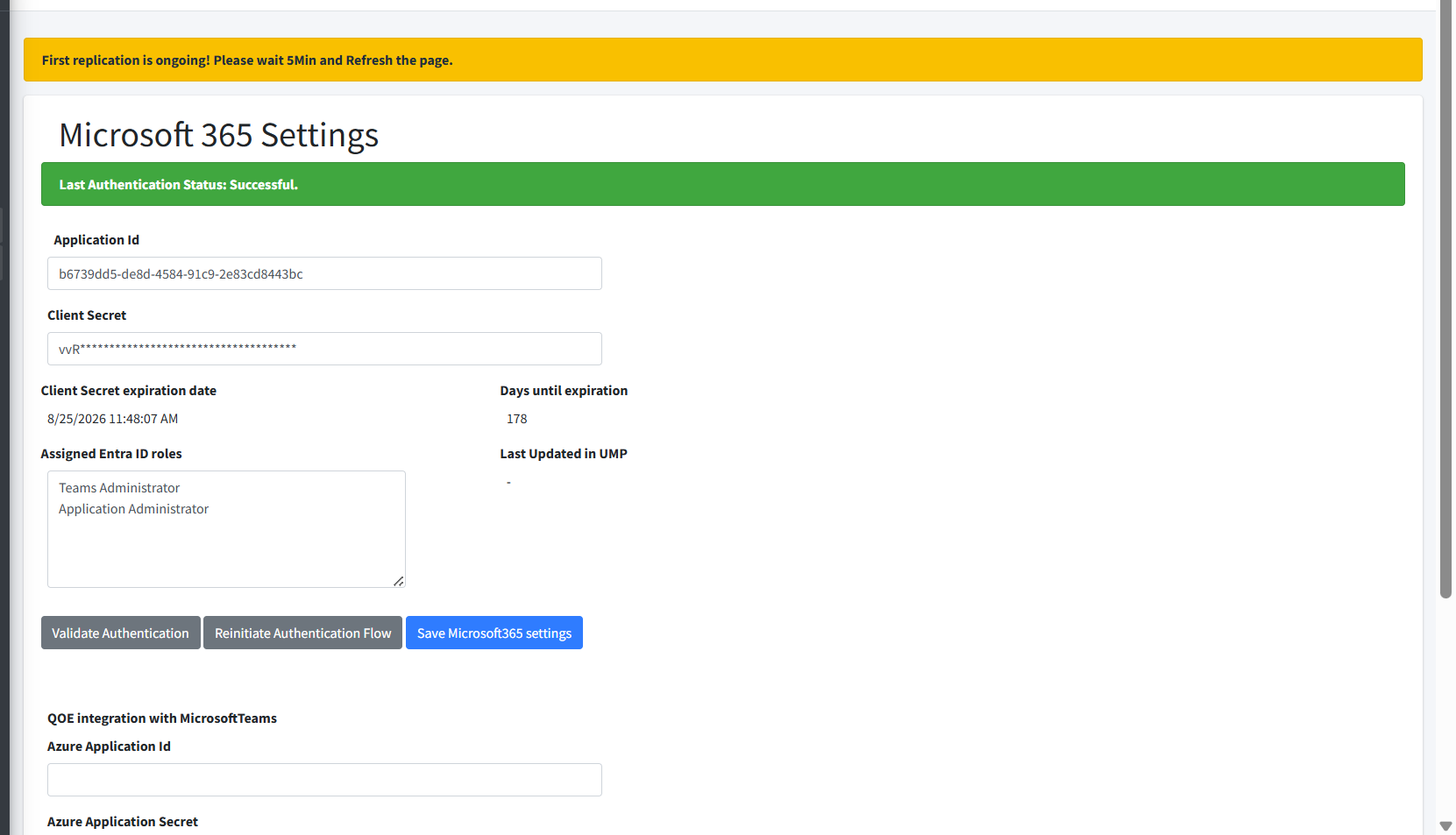
| ● | If you added the service using Delegated Token authentication, the following screen is displayed: |
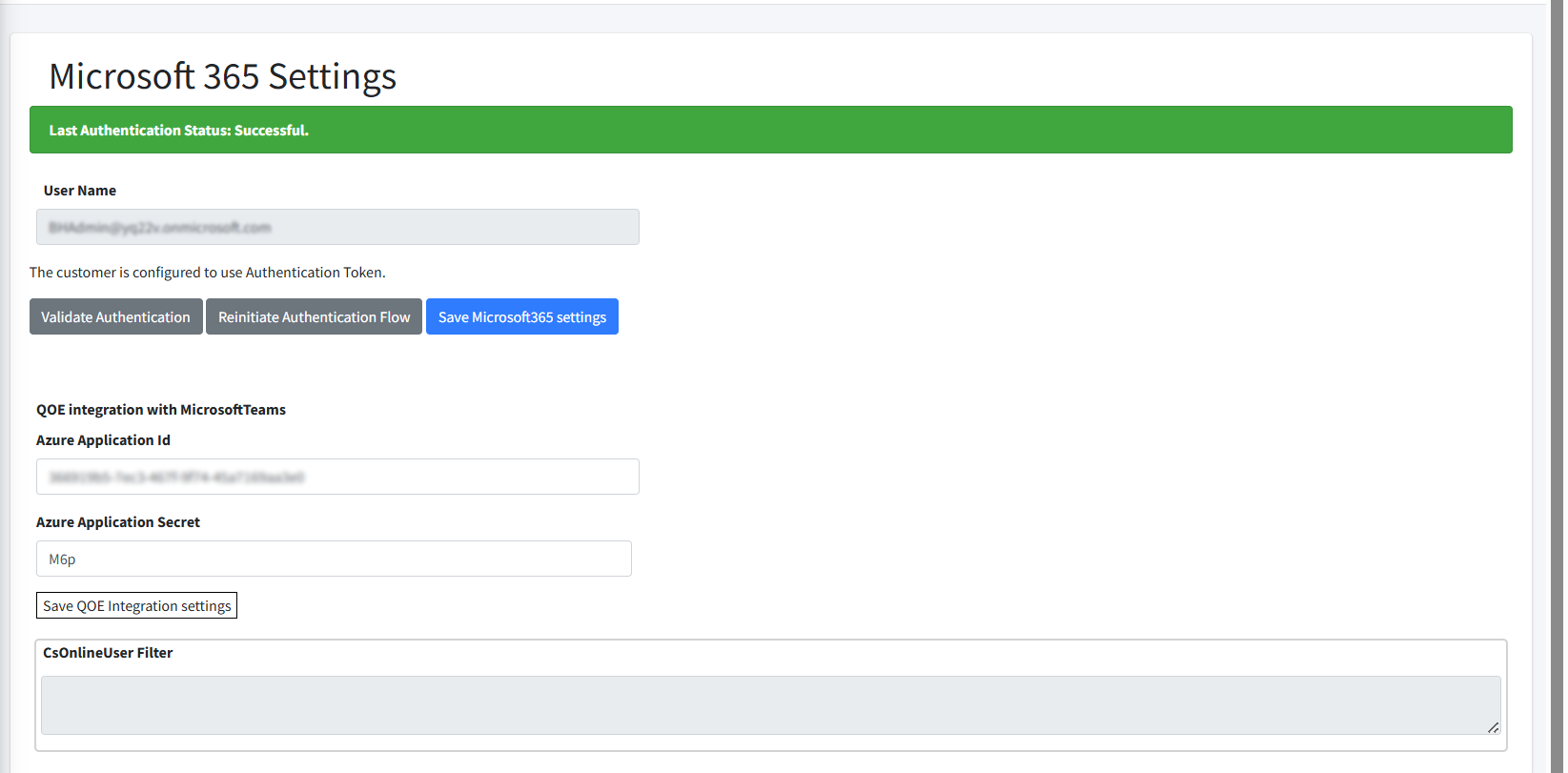
| 2. | Configuration the Microsoft 365 credentials as described in the table below. |
Microsoft 365 Settings
|
Parameter |
Description |
|---|---|
|
Application Id |
The Application (Client) Id of the Microsoft Entra ID App Registration used to secure the connection with the service. |
|
Client Secret |
The Client secret of the Microsoft Entra ID App Registration used to secure the connection with the service. |
|
Client Secret expiration date |
Date of expiration of the Client secret of the Microsoft Entra ID App Registration used to secure the connection with the service. |
|
Days until expiration |
The number of days remaining before the Client secret expires. |
|
Assigned Entra ID roles |
The Microsoft Entra ID Administrator roles that are assigned to the App registration. |
|
Validate Authentication |
Validates the credentials of the App registration or Delegated Token connection. The following message is displayed when the credentials are successfully validated.
|
|
Re-initiate Authentication Flow |
Lets you send an Invitation email including link to open the Invitation wizard to create a new secure connection to the customer tenant M365 platform. |
|
Save Microsoft 365 settings |
Saves the settings updated in this screen. |
|
QOE Integration with Microsoft Teams; enter the credentials of the App Registration for connecting to the Microsoft Teams Notifications Service (see Managing Teams Devices) |
|
|
Azure Application ID |
The username for connecting to the Microsoft Teams Notification Service. |
|
Azure Application password |
Application password for connecting to the Microsoft Teams Notification Service. |
|
Save QOE Integration Settings |
Saves the QOE settings above. |